Most five-person sales pods already pay for Zoom or Microsoft 365. The free Companion or Copilot summary is sitting there. The real question behind zoom ai companion vs dedicated notetaker is not which logo looks sharper in a 2026 roundup—it is whether free meeting AI keeps opportunity notes honest without weekly paste-back.
Read this with the five-person SDR plus CS stack hub. Once you decide to pay, judge writeback on the CRM writeback scorecard for sales notes and the Salesforce and HubSpot sync guide. Empty-deal diagnosis still lives in the meeting notes that hit the CRM page. This URL is only the buy-or-stay decision for built-in versus dedicated.
What “good enough” means for built-in meeting AI
Zoom AI Companion and Microsoft Teams Copilot improved a lot. For a tiny pod that lives almost entirely inside one platform, “good enough” is a real outcome—not a vendor insult.
Built-in tools are honest when all three are true:
- Ninety percent or more of calls happen on the same platform your license already covers.
- Managers can find last week’s decision without opening a second archive product.
- CRM writeback is light: short notes and tasks that a human can finish in under an hour a week, or that a shallow native sync already covers.
Transcription quality on clean internal Zoom calls is often close enough that buying Fireflies-class tooling only for prettier paragraphs is waste. Summaries that capture owners and next steps for a recurring internal standup are a win for free seats.
What built-ins still rarely own is cross-platform external reality. Partner calls on Google Meet, customer QBRs on mixed stacks, and deep object writes into Salesforce or HubSpot custom fields are where free tools quietly stop being free—because humans paste the missing pieces.
Zoom AI Companion versus a dedicated notetaker is an ops scorecard, not a logo contest.
Where free tools create silent ops debt
Week one with Companion or Copilot looks fine. Leadership screenshots a summary and closes the “do we need Fireflies?” thread.
Week three is where debt shows up:
- External Meet or Teams calls never join the same searchable library as Zoom-native ones.
- Ask-your-meetings features only see the platform corpus, so “what did we promise Acme in March?” fails when half the trail lived elsewhere.
- CRM connectors on built-ins are shallow or absent, so reps paste summaries into HubSpot “just this once,” then forever.
- Two people enable both Companion and a trial bot on the same recurring invite and invent duplicate tasks.
The cost is not vanity. It is three to six hours a week of reconstruction once pipeline volume rises—time a five-person company does not have. Managers stop trusting the CRM and rebuild spreadsheets. That is the same failure mode dedicated tools create when sync is ignored; free tools just hide it behind “included with Zoom.”
If cleanup of missing CRM fields exceeds one hour a week, free meeting AI is already too expensive.
A buy-or-stay scorecard for tiny teams
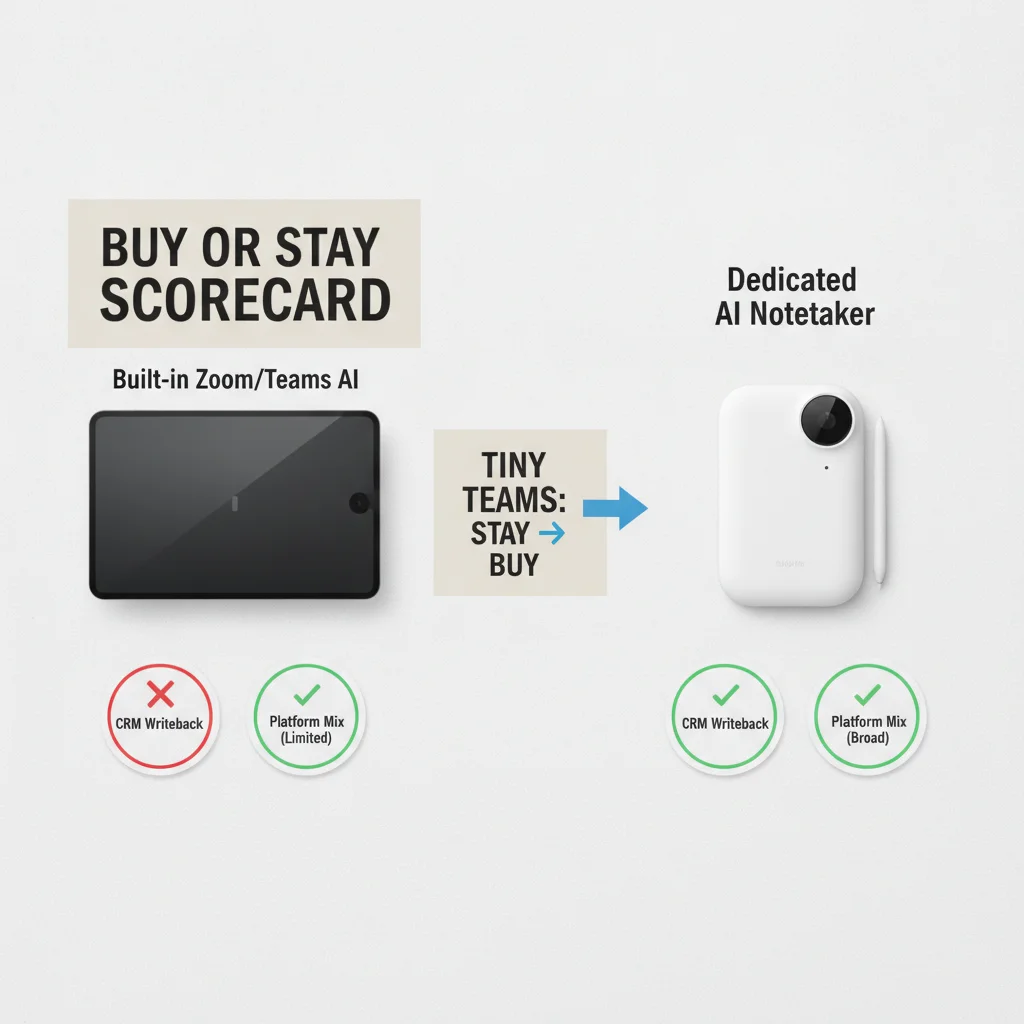
Run thirty days on built-ins alone before you buy anything. Capture at least thirty live sales calls across discovery, demo, and close. Score weekly:
| Signal | Stay on built-in | Buy dedicated |
|---|---|---|
| Platform mix | ≥90% one platform | Regular Meet + Zoom + Teams mix |
| CRM paste-back | Under 1 hour/week | Over 1 hour/week or managers distrust CRM |
| Cross-call search | Managers find decisions in-platform | “What did we say?” needs Slack archaeology |
| External guests | Rare | Weekly multi-platform externals |
| Object depth | Notes/tasks enough | Custom opportunity fields required |
Kill a dedicated pilot early if you cannot pause the bot without Slack archaeology. Kill a “stay free” decision if paste-back climbs after you claimed the built-in was enough. Never run built-in and paid notetakers together to “compare”—double invites and double CRM clutter.
Sample size matters. Ten internal standups do not prove Companion handles partner demos. Forty mixed calls do.
How to switch without double-bot chaos
If the scorecard says buy, migrate like ops—not like a feature trial.
- One bot rule: disable Companion auto-join or Copilot meeting capture for the pilot cohort before the dedicated bot joins calendars.
- Pilot on the real CRM org with limited scopes: Contact, Lead, Task, Note, and the Opportunity fields you actually use.
- Pause drill in week two: a non-founder SDR must stop the bot for one recurring meeting and confirm new writes stop within an hour.
- Regression sample after any permission or package change: twenty synced records within forty-eight hours.
Fireflies-shaped stacks often win when cross-platform archive and clearer retries matter more than staying inside Zoom. Otter-shaped stacks can be enough when transcription comfort matters and CRM depth stays light. MeetGeek-class lighter bots fit only low-volume HubSpot setups. This page will not crown a zoo winner—that diagnosis lives on the CRM-hit guide. Here the only crown is “built-in still passes” versus “dedicated now required.”
If you already burn cycles on outbound deliverability, do not add meeting complexity the same week. Stabilize sender sync on the cold-email pages first, then settle meeting memory.
Weekly ownership if you stay on built-ins
Staying free is still an ops choice. Assign a named owner.
Monday: sample ten opportunities. Confirm next steps exist on the record, not only in Zoom recap emails.
Tuesday: list every external call from last week. Note which platforms. If Meet or Teams share rises above ten percent, reopen the buy scorecard.
Wednesday: ask one manager to find a decision from three weeks ago without Slack. If they fail twice, built-in search is not doing the job.
Thursday: calendar hygiene—one AI path per meeting. No “Companion plus trial bot for redundancy.”
Friday: decide keep-free or start a dedicated pilot. Do not “let it ride” because the vendor dashboard is green.
If this checklist takes more than twenty focused minutes, you already outgrew casual free usage—even if you have not paid a notetaker invoice yet.
Where this sits in the SDR plus CS stack
Upstream, cold email still has to land without wrecking domains. Downstream, CS renewal notes still have to reach support. Meeting memory is the middle layer: what the prospect said, what we promised, and who owns the next step.
Built-in versus dedicated is only that layer’s cost decision. Do not expand into coding tools, image generators, or slide makers from this page. The keep cluster is sender, inbox, notes, and CRM truth. Boring writeback beats another zoo comparison every time.
Frequently Asked Questions
Is Zoom AI Companion enough for a five-person sales team in 2026?
Yes when almost every call stays inside Zoom, CRM writeback is light or manual, and managers do not need searchable cross-platform history. The moment partners live on Meet or Teams, or notes must land on opportunities without paste-back, dedicated tools pull ahead.
When does a dedicated notetaker pay for itself versus free built-ins?
Usually within six to twelve weeks once eight or more people take external or multi-platform calls weekly and cleanup of missing CRM fields exceeds one hour. Pay for writeback reliability and archive search—not for prettier summaries alone.
Should we run Zoom AI Companion and Fireflies together to compare?
No. Two bots on the same calendar create duplicate tasks and confused owners. Pick built-in or dedicated for a ninety-day scorecard, then switch only if the scorecard fails.
Is Microsoft Teams Copilot a substitute for a sales notetaker?
Inside a Microsoft-centric org with little external Meet or Zoom traffic, Copilot can cover summaries. Cross-platform external calls and deep Salesforce or HubSpot object writes still usually need a dedicated path.
How does this choice fit the rest of the SDR plus CS stack?
Built-in versus dedicated is the meeting-memory decision after outbound and before support handoff. Do not buy a fourth logo until CRM truth from whichever path you choose is boring for ninety days.