A five-person sales pod does not need another four-logo bake-off of meeting bots. It needs call memory on the opportunity a closer opens tomorrow. If you are choosing the best ai notetaker for sales teams, judge writeback quality, coaching fields, and weekly cleanup—not transcript cosmetics or a 2026 leaderboard.
Read this with the five-person SDR plus CS stack hub. Empty-deal diagnosis sits in the meeting notes that hit the CRM guide. Outbound connector hygiene is covered in the Salesforce sync for tiny cold email teams. Inbox deflection belongs with the Gorgias vs Intercom Fin handoff page. This URL is only about sales call notes as an operations job.
What sales teams actually buy when they buy a notetaker
For a tiny sales team, “AI meeting assistant” is not a feature matrix. It is three write paths that must stay honest for ninety days:
- Identity: the contact on the calendar is the same Salesforce or HubSpot record a closer opens later.
- Activity: notes, tasks, and next steps appear on the opportunity the manager reviews in 1:1s.
- Ownership: work does not orphan onto a shared integration user when an SDR leaves.
Conversation intelligence only matters if it lands as coachable fields: objection themes, competitor mentions, committed next step, and who owns it. Topic clouds that never leave the notetaker UI are theater.
HubSpot and Salesforce both lie in demos. A connector that looks clean on a vanilla Opportunity layout can still create garbage once RevOps adds a required field or tightens object permissions. If nobody can name which objects the bot may write, you do not have an integration. You have a future data-debt ticket.
The best AI notetaker for sales teams is therefore an ops purchase: durable writeback first, pretty summaries second.
Failure modes that show up after week three
Week one always looks fine. The first ten synced notes have owners. Leadership screenshots the timeline and calls the pilot a win.
Week three is where tiny pods get hurt:
- Duplicate tasks from two calendar bots hitting the same meeting.
- Notes on the wrong opportunity because matching used email alone and ignored account hierarchy.
- Summaries trapped in the notetaker after a permission change blocked writeback.
- Field maps that worked until a validation rule or package update rejected writes silently.
- Reps copying summaries into Slack “just to be safe,” which means the sync already failed culturally.
The cost is not vanity metrics. It is three to six hours a week of cleanup once call volume rises—time a five-person company does not have. Bad sync also trains managers to distrust CRM truth, so they rebuild spreadsheets and ignore the deal record.
Deliverability and sender sync can still be healthy while meeting writeback is a mess. Those are different jobs. Fix outbound connectors on the cold-email sync page; fix call memory here.
A 90-day CRM writeback scorecard
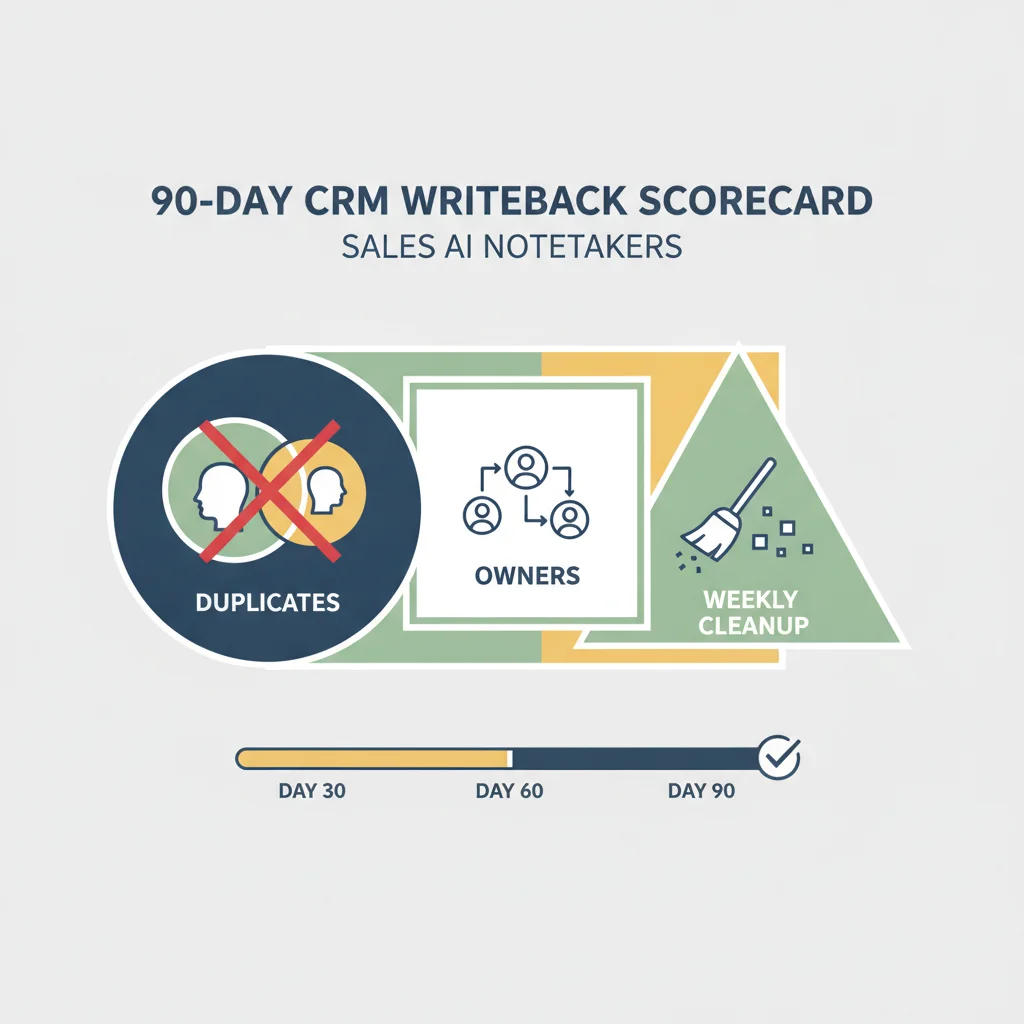
Run the pilot on your real org, not a sandbox with three fields. Capture at least forty to fifty live sales calls across discovery, demo, and close segments. Score weekly:
- Duplicate task rate under five percent of integration-created tasks.
- Manual cleanup under one hour per week for whoever owns RevOps (often the founder).
- Zero reps still pasting notes into the CRM or Slack after week three.
- Managers able to coach from opportunity activity without opening the notetaker.
- After any permission, validation, or package change: sample twenty synced records within forty-eight hours.
Kill the pilot early if duplicates climb and nobody can pause the bot without Slack archaeology. A connector you cannot stop is infrastructure you do not control.
Also define one positive path: when a next meeting books, the same contact and opportunity the note used must be the ones on the invite. Duplicate leads after a booked follow-up means matching is theater.
The best AI notetaker for sales teams is the tool that still passes this scorecard in month three—not the one with the longest comparison table.
How to pick a notetaker for sales reality (not a zoo chart)
You do not need Fireflies versus Otter versus Notta versus MeetGeek as a personality contest on this URL. You need one bot whose write path a non-specialist can babysit.
Prefer the platform that:
- Logs failed writes with the CRM error, not a green “synced” badge that lied.
- Lets you limit scopes to Contact, Lead, Task, Note, and the Opportunity fields you actually use.
- Survives a permission tighten without requiring a full remap the next morning.
- Has a named human owner on your side who checks sync health Mondays.
Fireflies-shaped stacks often win for tiny sales pods when setup is careful and ops bandwidth is low: clearer retries, searchable libraries, and less weekly babysitting in our experience. Otter-shaped stacks can be fine when transcription comfort matters more than deep CRM objects and someone still owns paste-back risk. MeetGeek or lighter bots are usually enough only for lighter HubSpot setups or very small volume—brittleness shows up once custom fields and multiple pipelines appear.
If you already burn cycles on outbound deliverability, do not add a second meeting bot “to compare CRM.” Two bots double invite noise and double writeback clutter. Pick one, run the scorecard, then keep or replace.
HubSpot-only teams should still demand the same scorecard on associations and lifecycle stages. The logo on the connector does not change the ops question.
Weekly ops checklist for a tiny sales pod
Monday: open the sync error log. Screenshot any permission or field failures. Assign one owner; do not leave it in a shared channel hope pile.
Tuesday: sample ten opportunities. Confirm owners, due dates, and that coaching fields a manager needs are on the record—not only in the notetaker.
Wednesday: pause drill. A non-founder SDR must disable the bot for one recurring meeting and confirm new notes stop appearing within an hour.
Thursday: check calendar invite hygiene. One bot per meeting. No dual bots “for redundancy.”
Friday: decide keep or kill for the week’s mapping changes. Do not “let it run” because the vendor dashboard looks green.
If this checklist takes more than thirty focused minutes, the integration is too expensive for your headcount—even if the vendor calls it native conversation intelligence.
Where this sits in the SDR plus CS stack
Upstream, cold email still has to land without wrecking domains. Downstream, support copilots still have to hand off without losing context. Meeting writeback is the middle memory layer: what the prospect said, what we promised, and who owns the next step.
Do not expand into coding tools, image generators, or slide makers from this page. The keep cluster is sender, inbox, notes, and CRM truth. Boring writeback beats another zoo comparison every time.
Frequently Asked Questions
What is the best AI notetaker for sales teams in 2026?
The one that writes clean notes, tasks, and next steps onto the opportunity for ninety days with under an hour of weekly cleanup—and that managers can coach from without opening a second app. Feature matrices do not answer that.
Why do sales notetakers look great in a demo and fail after week three?
Demos use short calls and vanilla CRM fields. Real orgs add custom objects, required fields, and tighter permissions. Silent write failures and duplicate tasks usually appear once volume and validation rules hit.
Do we need conversation intelligence if we only have five seats?
You need coaching fields on the deal: objections, next step, and owner. Fancy topic clouds are optional. If managers still paste summaries into Slack, the intelligence layer is not landing in the CRM.
Should we run two notetakers to compare CRM writeback?
No. Two bots double calendar noise and duplicate CRM rows. Pilot one tool on your real Salesforce or HubSpot org for ninety days, then keep or replace.
How does this fit the rest of the sales and CS stack?
Notetaker writeback is the memory layer after outreach and before support handoff. Sender sync and inbox copilots are separate jobs; do not buy a fourth logo until CRM truth is boring.